 XUploader
IPA Upload Has Never Been
So Simple and Secure
Cross-platform IPA upload tool – Say goodbye to Xcode dependency, no Mac required. Windows,
Android, Cloud Host one-click upload IPA to App Store Connect.
Perfect replacement
for Transporter, supporting Flutter, UniApp cross-platform apps
delivery to App Store Connect, easily solving Guideline 4.3 rejections caused by
upload
environment issues.
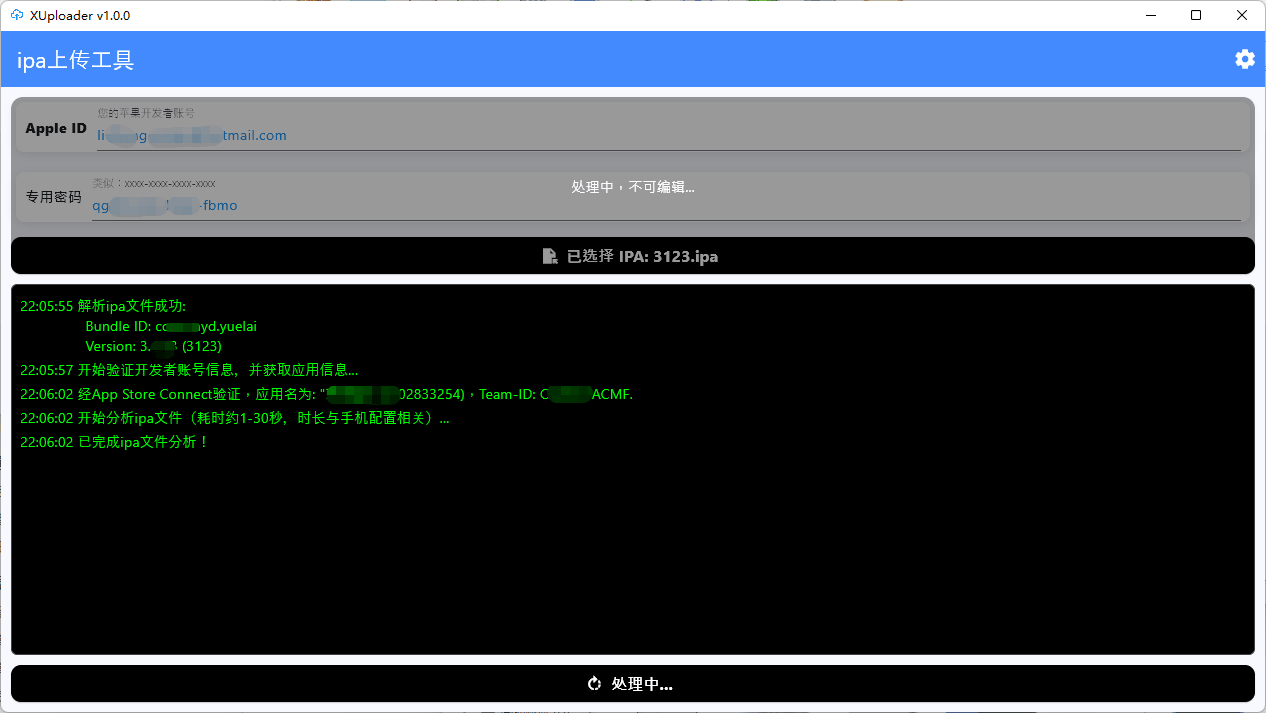
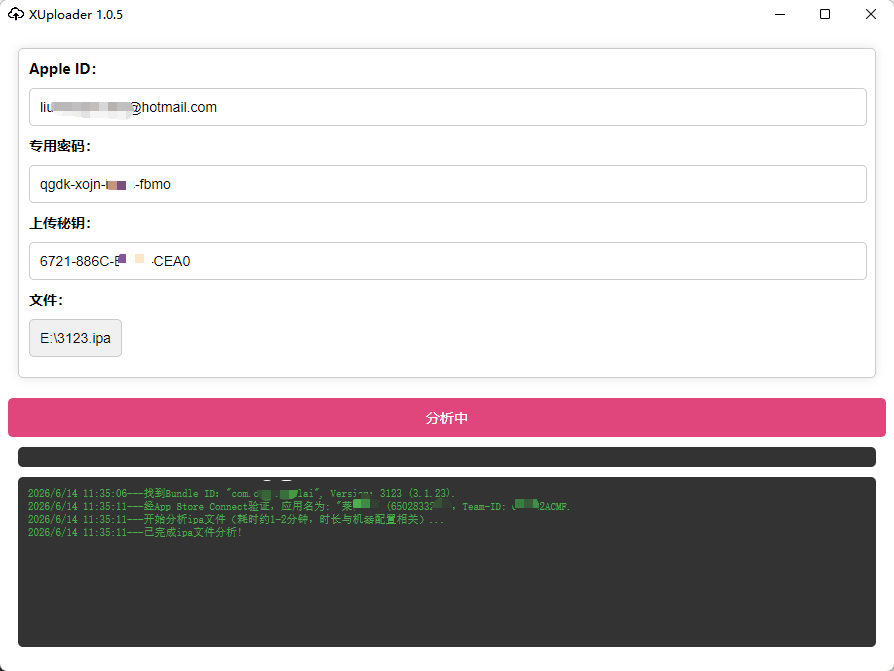
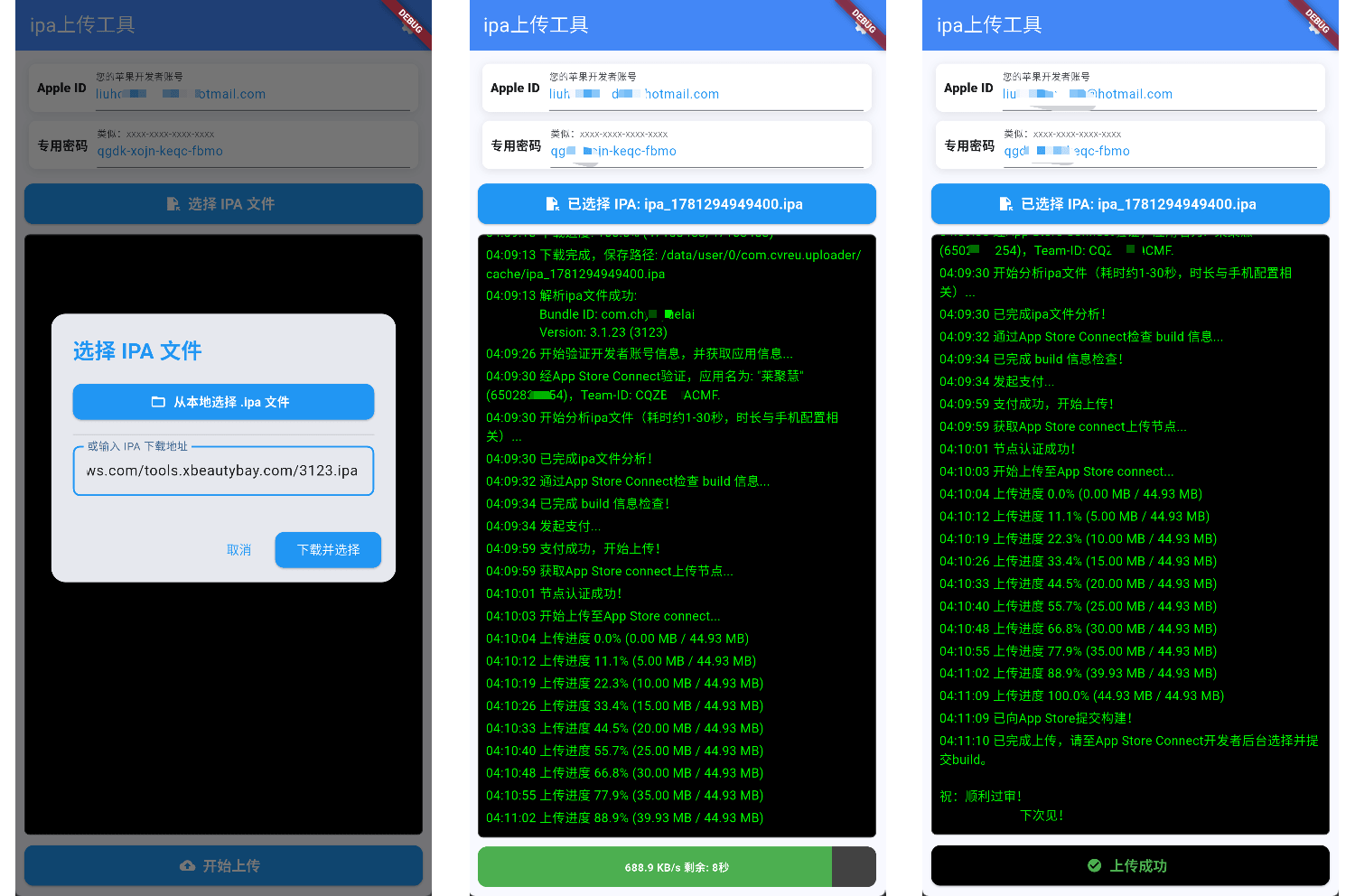
Traditional IPA Upload · Four Major Pain Points
Tools that manage certificates – extreme risk of certificate leakage!
Using upload tools with certificate management can lead to certificate theft for malicious purposes, causing severe violations and mass removal of your legitimate apps by Apple, severely impacting business. (Zhihu article)
Must use Mac and Xcode to upload
Cross-platform developers (Flutter, UniApp) are locked out; the heavy Xcode dependency makes the upload process extremely cumbersome.
Repeated rejection due to development environment (Guideline 4.3)
Apple's native toolchain collects extensive environment info (machine unique IDs, dev environment) during upload. If your Mac dev machine is blacklisted, it leads to related rejection, severely delaying app review.
IP blacklist & certificate association (cloud upload platforms)
Public upload IPs are easily blacklisted by Apple, causing IPA submission rejections.
XUploader Solution
1. Cross-platform client + one-click upload – clean upload on Android / Windows PC / cloud host / Mac;
2. No certificate management (zero exposure to sensitive info) – pure upload function;
3. Avoid direct 4.3 rejection from Apple due to certificate leakage, the macOS upload environment or blacklisted IPs;
Supports all cross-platform apps delivery to App Store. Trusted by thousands of developers with zero negative feedback.
Powerful Features · Minimalist Experience
One-click Upload
Upload IPA via native App Store Connect interface, no extra configuration, comparable to Apple Transporter.
Security & Privacy
Only requires developer account and app-specific password. No certificate management, no relay – direct local upload, eliminating certificate leakage risks.
Cross-platform Support
Windows PC / cloud host / Mac OS, and also Android mobile for IPA upload.
24/7 Support
Exclusive developer community to help with your publishing challenges.
FAQ
Can I upload an IPA without a Mac?
Yes. XUploader runs on Windows, cloud hosts and Android phones, letting you upload IPA files to App Store Connect directly from non-Apple devices — a practical Windows alternative to Transporter.
How do I upload an IPA to App Store Connect from Windows?
Install XUploader, enter your Apple Developer account and an App-Specific Password, then pick a local IPA file or paste an IPA download URL. The upload goes straight to App Store Connect — no Xcode, no Transporter.
Why are tools with certificate management risky?
They store your p12 private key and provisioning profiles on third-party servers. If it leaks, bad actors can publish violating apps under your certificate, and Apple will revoke the certificate, remove every app on the account, or terminate the account entirely. XUploader has no certificate features at all.
Does it help with Guideline 4.3 rejections?
XUploader uploads cleanly with no certificate association or leakage risk and attaches no hardware identifiers. Combined with a clean cloud host IP strategy, it helps avoid 4.3 rejections caused by the upload environment.
How do I ship a Flutter or UniApp app to iOS?
Build the cross-platform project on Windows → set up a clean macOS virtual machine with VMware → use Xcode inside the VM to create the certificate and export a signed IPA → submit it with XUploader. Signing stays in Xcode; the private key never leaves your machine.
What is the difference between the versions?
Windows and Android editions: no key purchase needed, download and use immediately, pay per upload, with support for both local IPA files and IPA download links. Windows key edition: purchase a single-use key, enter it, and upload.
What is the best practice for cross-platform iOS development?
Complete cross-platform project development & build
↓
Use VMware on Windows to set up a clean macOS virtual machine
↓
Use Xcode inside the macOS VM to generate distribution certificates, sign, and
export IPA
↓
Submit the IPA to App Store Connect using XUploader pure upload tool